One Library, Every Store
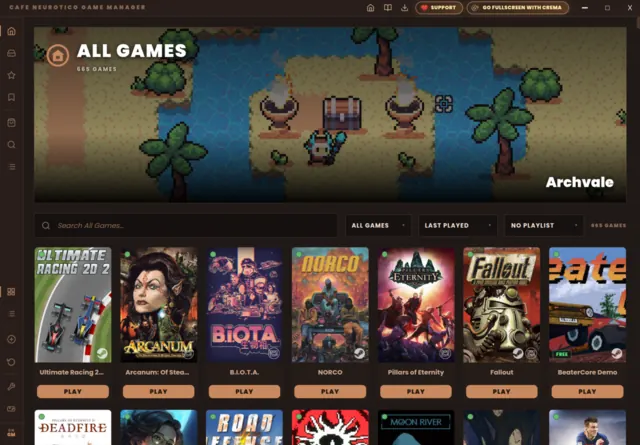
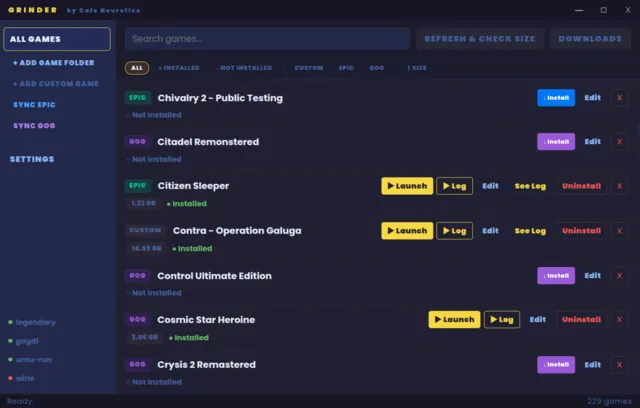
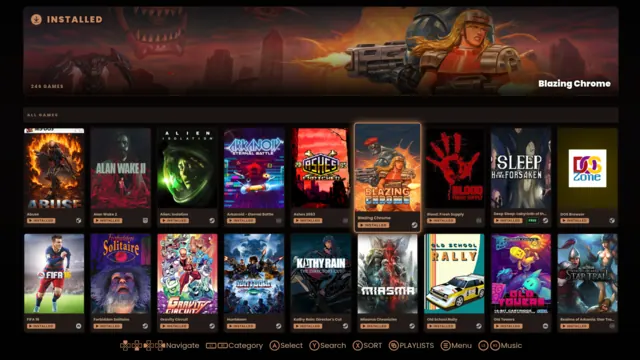
Steam, GOG, Epic, Flatpak, itch.io, PICO-8, emulators — and anything else you can start from a command line. One shelf, with the covers, the hero art, the playtime and the manuals kept on your own disk. Sign in to GOG and Epic without ever leaving the app: installs, updates and save backups all happen in the same window.
› what’s in the cup the specials board 🔧Fixed Individually
Not “improved compatibility”. Named games, named faults — the white screen on OutRun 2006, the untranslated Resident Evil 2, the DOSBox window that vanishes. Each one an evening’s work, none of them anything you have to configure.
› see the whole list also on the board 🎮Source Ports & Mods
Nobody sets out to install GZDoom; they set out to play Brutal Doom. So the mod is the entry, the engine comes with it, and the game data is taken from the library you already own. Twenty-five of them, one click each.
› see what’s on the menu a second host 🍎macOS — Experimental
Same codebase, an Apple Silicon Mac. The full library, native GOG installs, and — new in 1.9 — Windows games, through CrossOver. Still Experimental, on its own 1.9.0 build, and honest on the page about what that means.
› what works, what doesn't, how to installwhat's in the cup
Three apps that used to ship separately, now one Electron binary with three faces — one runtime, one database, one download.
One library, every store
Every shop on one shelf — Steam, GOG, Epic, Flatpak, itch.io, PICO-8 and your emulators — alongside anything you can start from a command line. Own the same game twice? It is one entry, and pressing Play asks which copy.
Installs that stay in the app
GOG and Epic games download in-process with live progress, a queue and disk-space checks. Per-game Proton, prefixes and winetricks when you want them.
Artwork that never rots
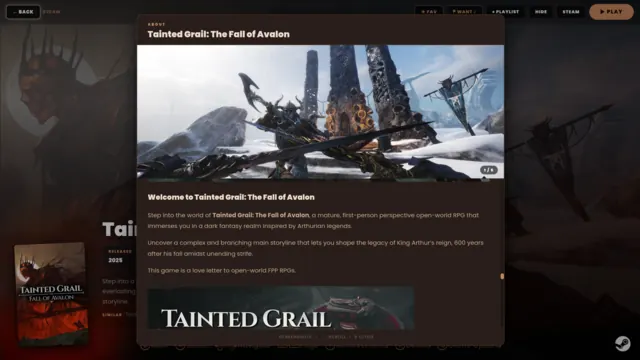
Covers, hero art, logos, screenshots, HowLongToBeat, Metacritic and ProtonDB — scraped once and kept on your disk. No broken images when a storefront changes its mind.
Save games, backed up honestly
Find them, zip them, put them back. Portable archives that restore correctly on a different PC, and a snapshot taken before every restore.
A living room that isn't an afterthought
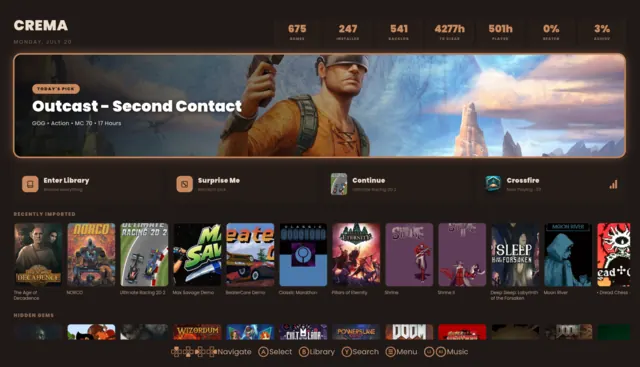
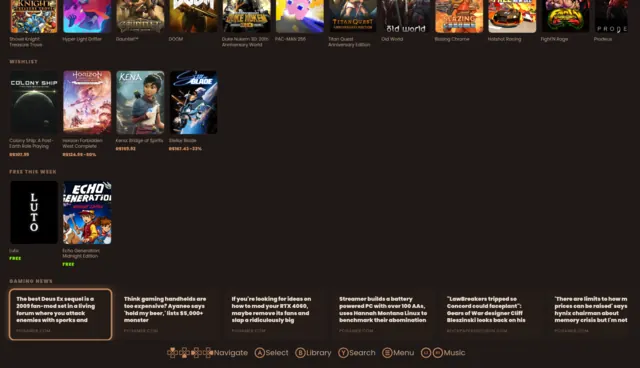
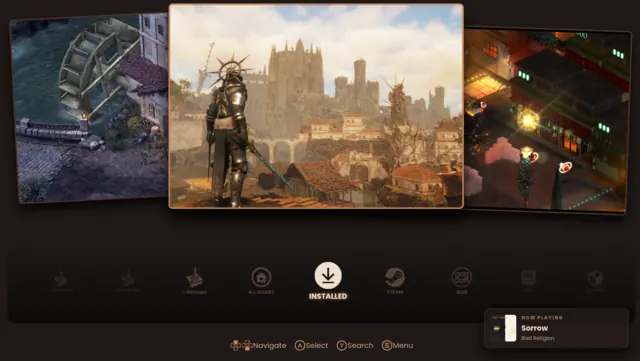
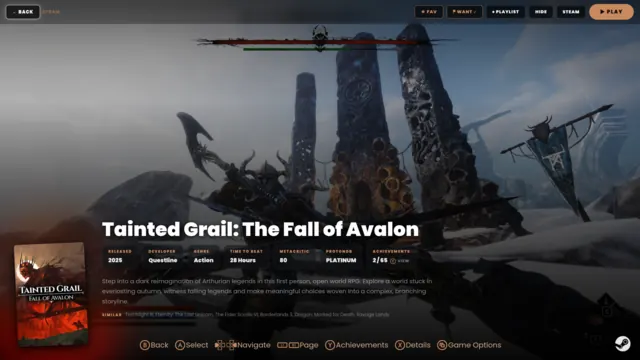
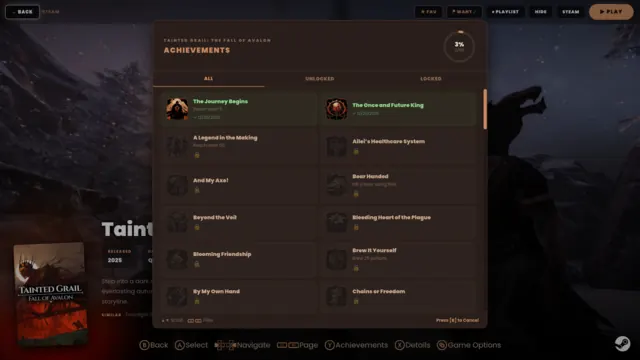
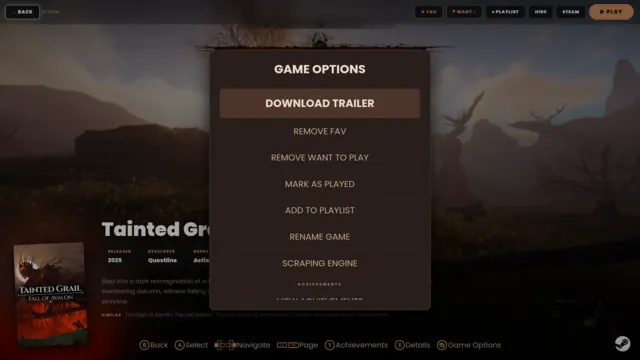
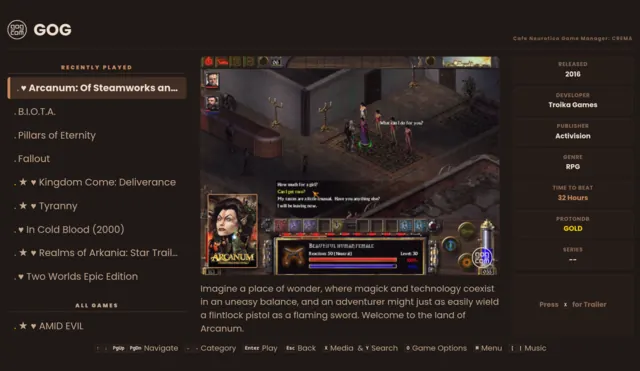
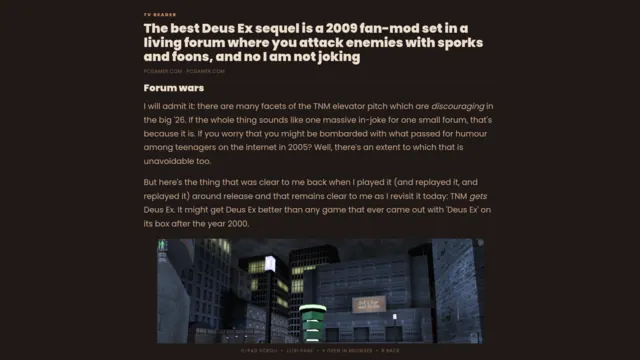
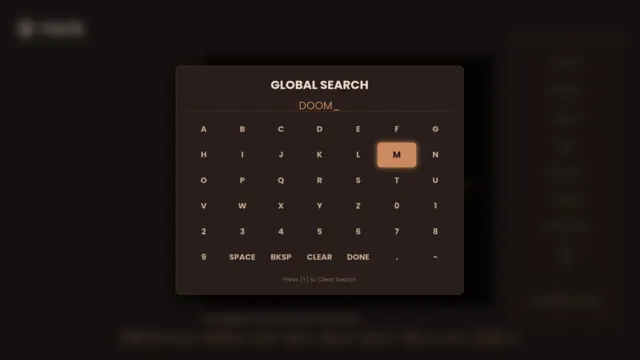
CREMA is fullscreen and gamepad-first: TV typography, immersive gamepages, achievements, a jukebox for your own music, a screensaver made of your own screenshots.
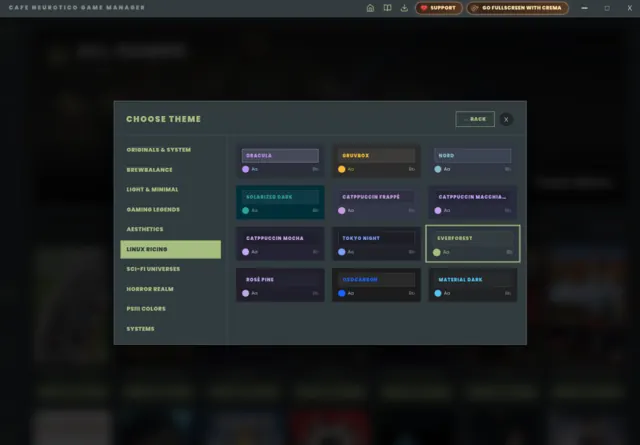
93 themes, 10 families
Catppuccin, Gruvbox, Nord, Dracula, Game Boy, Pip-Boy — and twenty retro operating systems, each with its own era typeface. Shared by all three faces.
Updates you asked for
One press checks your installed GOG and Epic games for new versions and updates them in place; Steam's pending downloads are flagged and handed to Steam. The app itself never phones home — it shows you its version and a link to the releases page, and the rest is your call.
Windows games that just run
Proton is found on your machine whatever the folder is called, and handed over explicitly — no guessing, no game that starts and silently isn't there. Don't have Proton? One click installs it. When something genuinely can't run, the app tells you why instead of shrugging.
Genres that mean something
Not "Action, Adventure, Indie" — ARPG, CRPG, FPS, Metroidvania, Soulslike, Shmup. Read from the tags players actually voted on, because that's the only source that can tell a Diablo-like from a Baldur's Gate-like. Filter by it, or let a playlist fill itself from it forever.
The manual, where the game kept it
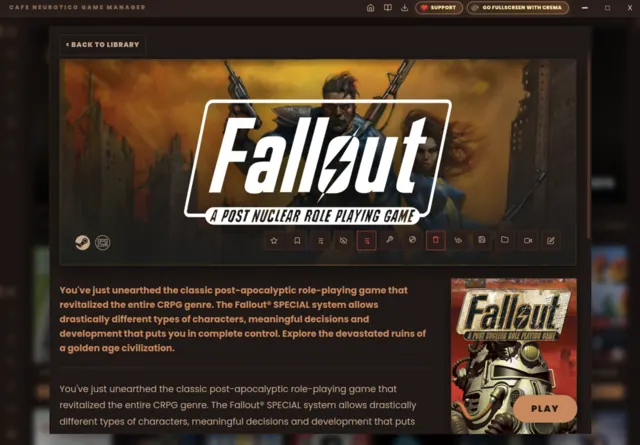
RPGs still expect you to read something, and the PDF has usually been sitting in the game folder all along. One button finds it — GOG even names its own cluebooks and reference cards — or fetches the scanned original from the store. Keep as many as the game needs.
DOS games that actually start
GOG's DOS titles need a config its installer copies and a folder it starts them from; get either wrong and the window opens and closes. Both handled. Prefer a native DOSBox? It reads the very same GOG config, so every tweak made for that game survives.
Local-only. Yours.
Everything lives in one folder next to the AppImage. Copy it to a thumb drive and your library comes with you. No account, no telemetry, no cloud.
only here
Things Cafe Neurotico does that you won't find in another Linux launcher — because most of them come from actually playing the games and noticing what was broken.
It knows an ARPG from a CRPG
Storefronts file everything under “Action, Adventure, Indie”. Cafe Neurotico sorts your library into real genres — ARPG, CRPG, FPS, Metroidvania, Soulslike, Shmup, Survival Horror — read from the tags players themselves voted on, which is the only source that can tell Diablo from Baldur's Gate. Then it filters by them, and fills playlists from them forever.
It finds the manual you never knew you had
GOG puts manuals, cluebooks and reference cards inside the game folder and never tells you. One button surfaces them — named, because GOG names them — or fetches the scanned original from the store. Read it in its own window on a second monitor while you play.
It finishes GOG's installation
GOG ships a list of finishing touches its own installer performs after the files land — registry entries, config files, DOSBox setups. Downloading the game is not the same as installing it, and nothing else on Linux does that second part. Cafe Neurotico does, which is why some games only work here.
It survives a bad file on GOG's end
GOG serves your game from more than one server, and now and then one of them holds a damaged copy of a file. Anything that keeps asking the same server waits for ever. Cafe Neurotico checks each piece as it arrives and moves to the other server when one is wrong.
It asks which shop you meant
Own a game on Steam and GOG? It's one entry in your library, and pressing Play asks which copy — showing you which ones are installed and offering to install the ones that aren't.
DOS games on a real DOSBox — keeping GOG's own settings
Every GOG DOS game ships the same thing: a Windows build of DOSBox from 2010. On Linux that means emulating a DOS machine inside a Windows program inside a compatibility layer — three deep, to run a game from 1992.
Cafe Neurotico can skip the middle one. Install dosbox-staging from your distribution and it hands the game to that instead — no Proton, better sound and fullscreen, and an emulator that is still actively maintained.
The part that matters: it reads the very same configuration file GOG wrote for that game. Cycle counts, machine type, sound cards, the startup commands GOG tuned per title — all of it kept exactly, because only the emulator changes. Nothing on your disk is rewritten, and nothing is guessed.
Haven't installed one? Then nothing changes and GOG's own DOSBox is used, as before. The Control Panel tells you which one is running and gives you the exact command for your distribution if you want the better one.
Desk and sofa, one binary, one library
A desktop manager, a download engine and a fullscreen gamepad interface in a single file, sharing one database. Mark a favourite on the couch and it's there on the desktop. No syncing, no second install, no account.
a look inside
Click any shot to open it full size.
also on the menu
Separate apps, same roof. Cafe Neurotico is complete on its own — these are here if you want them.
EmuLatte
The emulation pillar, and a fully standalone app in its own right — ROM library, emulator scanner, multi-source scraping and RetroAchievements. Use it entirely on its own, or drop it next to Cafe Neurotico and the suite picks it up automatically. Your ROM collection stays in EmuLatte: you pick which games cross over by exporting them to Cafe Neurotico from inside EmuLatte, and those arrive as ordinary entries under an Emulation category.
Get EmuLatte ▸CafeNeurotico Clock
A standalone clock that runs a slow slideshow of your library's artwork — Ken Burns pans, configurable faces. Point it at your collection and let it sit on a second screen.
Get the Clock ▸tip the barista
If Cafe Neurotico organized your gaming life, consider buying me a coffee — it keeps the pot warm.
If you do, let me know so I can thank you personally! :)
macOS (Experimental) · support page · source on GitHub · GPL-3.0-or-later